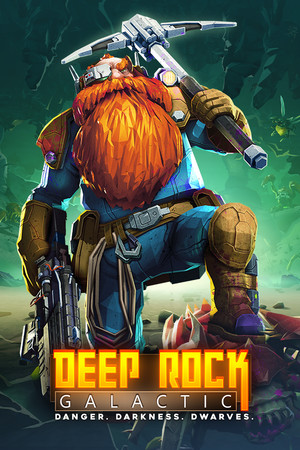
Deep Rock Galactic
Good
Source-confirmed
21:9
Native
32:9
Partial
Gameplay Scaling
Hor+
HUD
Edge-positioned
Centered HUD
Mod available
Cutscenes
16:9 pillarboxed
Menus
16:9
FOV
Correct
Black Bars
Cutscenes only
Flawless Widescreen
Not Required
Community Fix
Available
Online Safety
Safe
Does Deep Rock Galactic support 21:9 and 32:9?
On a 32:9 screen Deep Rock Galactic runs at native resolution with a correctly widened field of view and no black bars during gameplay. Loading screens stay at 16:9 with pillarboxing, and several players find the vanilla HUD spreads too far into the periphery at 5120x1440, which is why ultrawide HUD mods exist on mod.io. The core game doesn't need a third-party fix.
How to fix ultrawide in Deep Rock Galactic
Recommended fix
Next HUD: Customizable Layout (Ultra-Wide Monitor)
UltraWideCheck links to third-party mods and tools but does not host or distribute mod files.
Already have one of these? It works too
Change HUD ResolutionLets you force the HUD to render at a smaller emulated resolution if the native ultrawide HUD spread feels too thin at 32:9.
Learn more
Patch & source history
Build not recordedSep 18, 2026
Sources checked: a Steam Community 32:9 discussion and mod.io listings — native 21:9 and 32:9 resolution and FOV work; loading screens are pillarboxed.
Related games
Deep Rock Galactic: Survivor · 202521:9Native32:9Partial
RuneScape: Dragonwilds · 202621:9Native32:9Partial
STAR WARS Zero Company · 202621:9Native32:9Partial
Zenless Zone Zero · 202621:9Native32:9Partial
PRAGMATA · 202621:9Native32:9Partial
DEATH STRANDING 2: ON THE BEACH · 202621:9Native32:9Partial