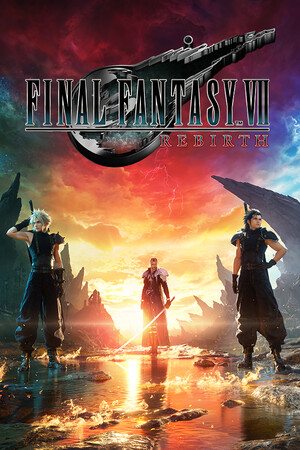
Final Fantasy VII Rebirth
Good
Source-confirmed
21:9
Fix Required
32:9
Fix Required
Gameplay Scaling
Hor+
HUD
Centered
Centered HUD
Mod available
Cutscenes
16:9 pillarboxed
Menus
16:9
FOV
Correct
Black Bars
Cutscenes only
Flawless Widescreen
Recommended
Community Fix
Available
Online Safety
Safe
Does Final Fantasy VII Rebirth support 21:9 and 32:9?
Final Fantasy VII Rebirth has no native ultrawide option on PC. Lyall's FF7RebirthFix (actively developed on Codeberg) adds correct hor+ FOV at any aspect ratio and keeps the HUD centered at 16:9 instead of stretching it. Some QTE button prompts can appear off-screen or drift with the camera on ultrawide, and pre-rendered cutscenes stay pillarboxed. A Flawless Widescreen plugin also exists as an alternative.
How to fix ultrawide in Final Fantasy VII Rebirth
Recommended fix
FF7RebirthFix
UltraWideCheck links to third-party mods and tools but does not host or distribute mod files.
Already have one of these? It works too
FF VII Rebirth (Flawless Widescreen plugin)Flawless Widescreen module (namespace FFVIIRebirth, added 28/01/2025). Handy if you already use Flawless Widescreen for other games, though it is less actively maintained than Lyall's dedicated fix.
Learn more
Patch & source history
Build not recordedSep 18, 2026
Sources checked: the FF7RebirthFix listings on Nexus Mods and Codeberg, and the Flawless Widescreen plugin list. Both the dedicated mod and a Flawless Widescreen plugin exist; the mod author documents the QTE-prompt caveat.
Related games
FINAL FANTASY VII REMAKE INTERGRADE · 202121:9Fix Required32:9Fix Required
Dragon Quest XI S: Echoes of an Elusive Age - Definitive Edition · 202021:9Fix Required32:9Fix Required
KINGDOM HEARTS -HD 1.5+2.5 ReMIX- · 202421:9Fix Required32:9Fix Required
FINAL FANTASY X/X-2 HD Remaster · 201621:9Fix Required32:9Fix Required
Final Fantasy XV (Windows Edition) · 201821:9Native32:9Native
FINAL FANTASY XII THE ZODIAC AGE · 201821:9Native32:9Native