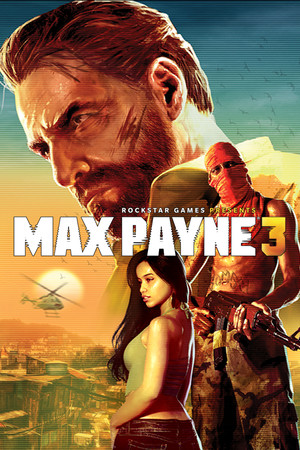
Max Payne 3
Good
Partly confirmed
21:9
Partial
32:9
Fix Required
Gameplay Scaling
Hor+
HUD
Edge-positioned
Centered HUD
Mod available
Cutscenes
16:9 pillarboxed
Menus
16:9, stretched
FOV
Correct
Black Bars
Cutscenes only
Flawless Widescreen
Not Supported
Community Fix
Available
Online Safety
Unknown
Does Max Payne 3 support 21:9 and 32:9?
Gameplay renders in ultrawide, but the UI, FMVs, loading screens and cutscenes display incorrectly, and aspect ratios wider than about 2.3 (e.g. 32:9) push the game into multi-monitor mode. Lyall's MaxPayne3Fix corrects FMV and loading-screen scaling and the wide-aspect issue, and offers a spanned or centered 16:9 HUD.
How to fix ultrawide in Max Payne 3
Recommended fix
MaxPayne3Fix
UltraWideCheck links to third-party mods and tools but does not host or distribute mod files.
Already have one of these? It works too
Max Payne 3 FOV fixFOV only; can be used alongside Lyall's fix by renaming the ASI loader dll.
Learn more
Patch & source history
Build not recordedSep 28, 2026
Sources checked: PCGamingWiki (UI, FMVs and cutscenes display incorrectly at ultrawide) and Lyall's MaxPayne3Fix README (release v1.0). PCGamingWiki doesn't say whether the unfixed menus stretch or are misplaced, so we haven't independently confirmed the 'stretched' menu value. The game has online multiplayer; avoid using ASI mods online.
Related games
Grand Theft Auto IV: The Complete Edition · 202021:9Partial32:9Partial
L.A. Noire · 201121:9Fix Required32:9Fix Required
Grand Theft Auto V Enhanced · 202521:9Native32:9Native
Red Dead Redemption · 202421:9Native32:9Native
Nioh 2 – The Complete Edition · 202121:9Partial32:9Fix Required
Observer: System Redux · 202021:9Partial32:9Fix Required